

Play, pause, stop… and be ready
Getting ready: A good player opens the file and prepares the first pictures before the cue. Nobody wants the video equivalent of an actor arriving at the theater when the curtain goes up.
Play: At 60 frames per second, the screen gets 60 new pictures every second. That gives the engine about 16.7 milliseconds per picture. A tiny delay can become a very visible stutter.
Pause and Stop: Pause must freeze the exact picture you wanted. Stop might mean black, return to the beginning, or hold the last image. A surprise black screen is never the crowd-pleaser you hoped for.
Why playing backward gets weird
Some video formats save space by storing one complete picture, then mostly the changes that happen afterward. Great for smaller files—but those pictures depend on one another.
To play backward, the engine may have to rebuild several pictures in the usual forward direction before showing them in reverse. Imagine reading a book backward when half the pages say “see previous page.”
Other formats, like ProRes and DNx, store each picture separately. The files are bigger, but jumping to a particular moment or playing backward is much easier.
A cross-dissolve is two jobs, not one
A fade from Video A to Video B sounds simple. But both videos must be ready and playing at the same time, while the graphics card blends them together.
Two large, high-resolution videos can nearly double the decoding work during the transition. That lovely, gentle dissolve is secretly making the computer work overtime.
GPU decoding: less traffic, more headroom
The CPU is the computer’s general-purpose worker. The GPU is its graphics specialist. With compatible video formats, the GPU can help unpack the video and keep those pictures close to where they’re blended and displayed.
That means less data shuffling around the computer, less work for the CPU, and more room for multiple videos, effects, and smooth transitions. It still takes a carefully designed player to take advantage of it.
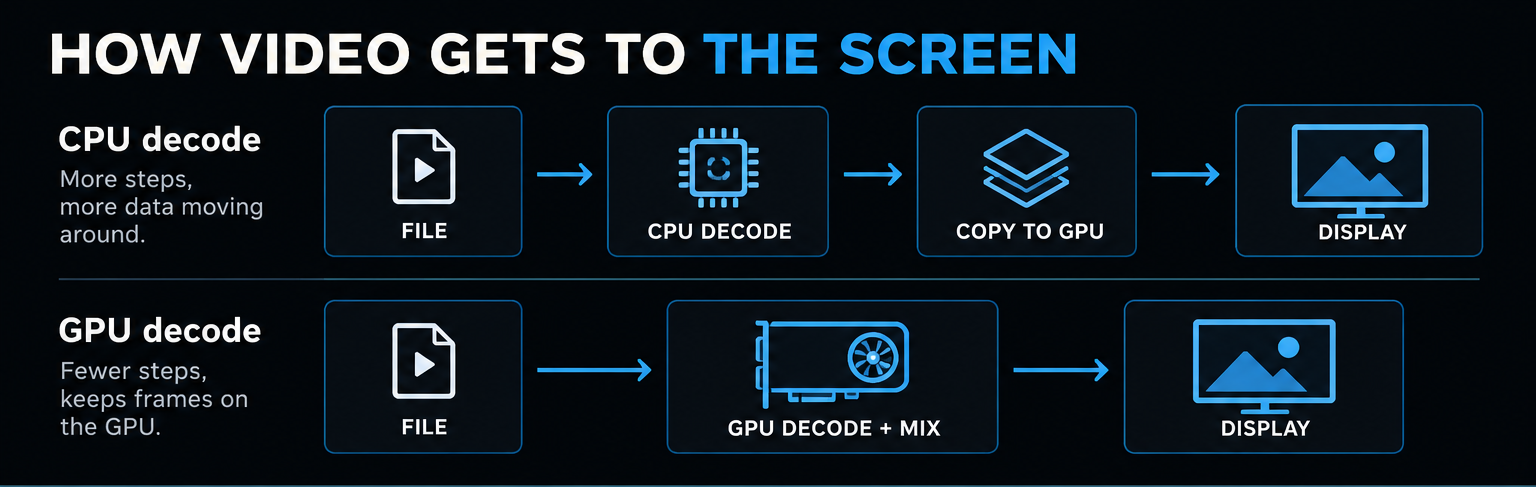
Different files, different priorities
A codec is simply the method used to squeeze video into a file and unpack it for playback. Some favor smaller files; others favor quick access to individual pictures; others are designed to work efficiently with graphics hardware.
For a live show, the smallest file isn’t automatically the best one. A larger file that cues reliably can be worth its weight in avoided panic.
Choosing a format for the show
These are common choices for professional playback, each with a different strength:
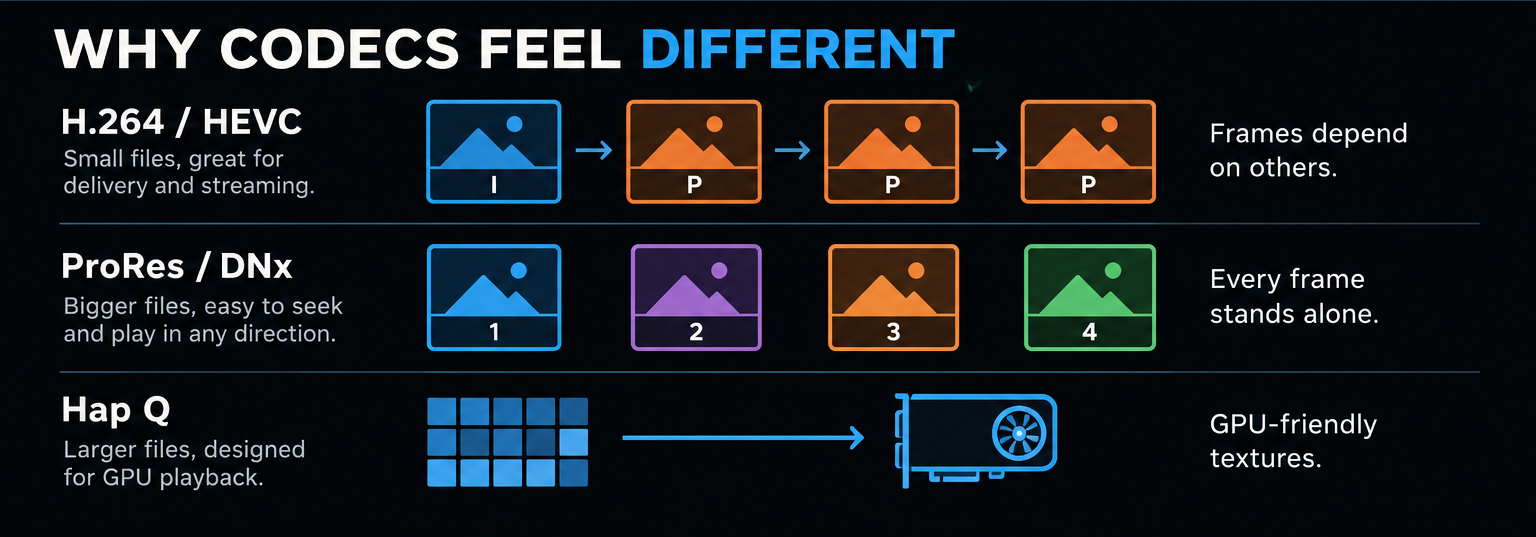
| Codec | Great at | Tradeoff |
|---|---|---|
| H.264 / HEVC | Small files that are easy to store or send | Going backward or jumping around may take extra work |
| ProRes / DNx | Fast access to individual pictures; high-quality masters | Bigger files need faster storage |
| Hap Q | Playing many graphics-heavy video layers | Very big files and some image-quality tradeoffs |
The part you should never notice
The operator shouldn’t need to know how pictures are compressed, where they’re stored, or which part of the computer is working hardest. They should press Play and see the right picture—every time.
That’s the thinking behind Azimuth: serious engineering on the inside, simple operation on the outside.
Professional Performance. Simplified.
Explore Azimuth Player—built to make professional video playback easier to operate.
Explore Azimuth Player ↗